

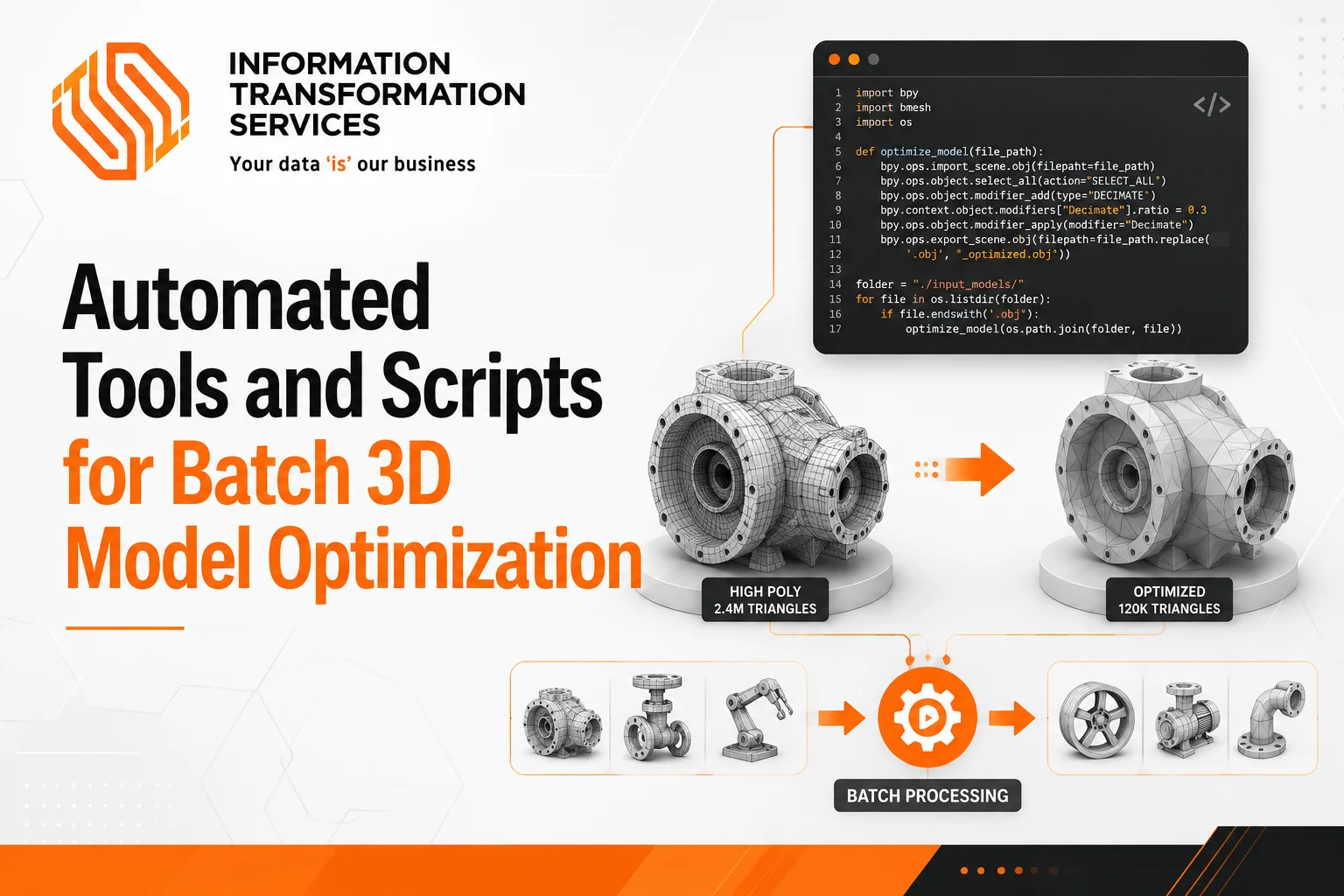
Automated Tools and Scripts for Batch 3D Model Optimization
As 3D projects grow, so does the challenge of managing large asset libraries. Whether assets are created for games, AR and VR applications, product visualization, or digital twins, every model must be optimized to deliver smooth performance without sacrificing visual quality. When hundreds or thousands of assets require processing, manual optimization quickly becomes inefficient and difficult to scale.
Automated 3D model optimization solves this problem by streamlining tasks such as mesh simplification, polygon reduction, geometry cleanup, texture optimization, and Level of Detail (LOD) generation. Instead of optimizing each asset individually, teams can use specialized software and scripts to process models in batches, reducing production time while maintaining consistency across projects.
Modern optimization workflows go beyond lowering polygon counts. They help prepare assets for real-time rendering, improve resource efficiency, and support scalable asset pipelines. As a result, automated tools have become an important part of 3D production workflows where performance, quality, and speed are equally important.
This guide explains how automated tools and scripts are used for batch 3D model optimization, the techniques behind these workflows, and the best practices for optimizing large collections of 3D assets efficiently.
What Happens During 3D Model Optimization?
3D model optimization reduces the resources needed to store, load, and render a model while maintaining its visual quality. In batch workflows, the goal is to improve performance across large asset libraries without manually editing every file. Most optimization tools follow a similar process: analyze the model, identify performance issues, apply optimization rules, and export optimized versions for production.
Before starting, review your asset library and identify models with high polygon counts, oversized textures, duplicate geometry, or rendering issues. This helps prioritize which assets need optimization first.
Polygon Reduction and Mesh Simplification
Polygon reduction is often the first optimization step. It removes unnecessary geometric detail while preserving the overall shape of the model. This reduces rendering costs and file sizes, making assets easier to use in real-time applications.
Action Steps:
- Identify models with unnecessarily high polygon counts.
- Set a target polygon budget based on the platform or project requirements.
- Use batch mesh simplification tools to process multiple assets at once.
- Compare optimized models against the originals to ensure important details remain intact.
- Test optimized assets in the target environment before deployment.
The objective is not to achieve the lowest polygon count possible. Focus on removing geometry that does not contribute meaningful visual value.
Level of Detail (LOD) Generation
LOD generation creates multiple versions of the same model with different levels of complexity. The rendering system automatically switches between these versions based on viewing distance.
Action Steps:
- Generate at least three LOD levels for complex assets.
- Define reduction percentages for each LOD stage.
- Review silhouette quality after each reduction.
- Test LOD transitions to ensure they are not visually distracting.
- Apply the same LOD rules across similar asset categories for consistency.
Automating LOD creation can significantly reduce manual work when managing large asset libraries.
Texture and Material Optimization
Textures and materials often consume more memory than geometry. Large texture files, unused maps, and complex material setups can increase loading times and reduce performance.
Action Steps:
- Remove unused texture maps and materials.
- Resize textures that exceed project requirements.
- Compress textures using formats supported by the target platform.
- Consolidate duplicate materials where possible.
- Verify that optimized textures maintain acceptable visual quality.
These adjustments help reduce memory usage without requiring changes to the model itself.
Geometry Cleanup and Repair
Many models contain structural issues that can affect rendering, simulation, or compatibility with downstream tools. Common problems include duplicate vertices, non-manifold geometry, flipped normals, and isolated mesh fragments.
Action Steps:
- Run automated mesh validation checks.
- Remove duplicate vertices and unnecessary geometry.
- Fix non-manifold edges and mesh errors.
- Recalculate normals where needed.
- Validate exported files before adding them back into the asset pipeline.
Cleaning geometry before further optimization helps prevent errors from spreading throughout the production workflow.
By combining polygon reduction, LOD generation, texture optimization, and geometry cleanup, teams can create lighter and more efficient assets at scale. A practical workflow is to simplify geometry first, generate LODs second, optimize textures third, and perform final cleanup before exporting assets. Following this sequence helps maintain consistency and makes batch 3D model optimization easier to manage across large projects.
Automating the 3D Optimization Workflow
As your asset library grows, manually optimizing every 3D model becomes time-consuming and difficult to maintain. An automated workflow helps you process large numbers of assets using the same optimization standards, improving consistency and reducing repetitive work.
A typical automated 3D optimization workflow follows these steps:
- Import assets in batches into your optimization software or pipeline.
- Analyze model complexity to identify high polygon counts, large textures, and geometry issues.
- Apply optimization rules such as mesh simplification, polygon reduction, and texture compression.
- Generate LODs automatically to create multiple versions of each model for different viewing distances.
- Run geometry cleanup checks to remove duplicate vertices, non-manifold geometry, and other mesh errors.
- Export optimized assets in the required file formats for your target platform.
- Validate performance and visual quality before moving assets into production.
To make the process more efficient, you can store optimization settings as reusable presets. This allows the same rules to be applied automatically whenever new assets enter your pipeline. If you manage a large asset library, you can also use scripts or batch-processing tools to run optimization tasks with minimal manual effort.
By automating these steps, you can optimize hundreds or even thousands of 3D models more efficiently while maintaining consistent quality and performance standards across your projects.
Key Features to Look for in 3D Model Optimization Software
The effectiveness of a 3D model optimization workflow depends heavily on the capabilities of the software being used. For large-scale asset processing, optimization tools should support automation, maintain geometric accuracy, and integrate smoothly into existing production pipelines. The following features are commonly found in professional optimization solutions.
Batch Processing Support
Batch processing enables multiple 3D assets to be optimized within a single workflow. Instead of applying optimization settings manually to each model, users can process entire asset libraries using predefined rules. This improves consistency and reduces the time required to prepare assets for deployment.
Automatic LOD Generation
Level of Detail (LOD) generation creates multiple versions of a model with varying levels of geometric complexity. Optimization software should be able to generate LODs automatically while preserving the overall shape and appearance of the original asset. This capability helps reduce rendering overhead in real-time applications.
Mesh Simplification Controls
Mesh simplification is a core optimization function that reduces polygon counts while retaining important visual features. Advanced tools provide adjustable simplification parameters, allowing users to define target polygon budgets, error thresholds, or quality settings based on project requirements.
Geometry Cleanup Tools
Many imported models contain geometric issues that can affect rendering performance or downstream processing. Geometry cleanup tools help detect and correct problems such as duplicate vertices, non-manifold edges, isolated geometry, and incorrect surface normals. Automated cleanup improves asset reliability and workflow efficiency.
Format Compatibility
Optimization software should support a broad range of 3D file formats to accommodate assets from different design and content creation platforms. Flexible import and export capabilities simplify integration with game engines, CAD applications, visualization tools, and digital content creation software.
Presets and Workflow Automation
Automation features allow optimization settings to be saved and reused across projects. Presets help standardize mesh reduction, LOD generation, texture processing, and cleanup operations, ensuring that assets are optimized according to consistent technical requirements.
Software that combines these capabilities can streamline batch 3D model optimization, improve asset consistency, and support scalable production workflows across large 3D content libraries.
Popular Tools Used for Batch 3D Model Optimization
Several tools are commonly used to automate 3D model optimization tasks such as mesh simplification, polygon reduction, geometry cleanup, and LOD generation. The right choice depends on your workflow, asset volume, and technical requirements.
Simplygon
Simplygon is widely used in game development and real-time rendering workflows. It specializes in automated mesh optimization, LOD generation, and large-scale asset processing, making it suitable for projects that require consistent optimization across extensive asset libraries.
MeshLab
MeshLab is an open-source tool designed for mesh processing and geometry optimization. It provides features for mesh simplification, cleanup, repair, and analysis, making it a practical option for handling individual models or smaller asset collections.
Blender
Blender includes built-in tools for mesh decimation, geometry cleanup, and scripting. Its Python API allows users to automate optimization tasks and create custom batch-processing workflows tailored to specific project requirements.
Example of a Batch Optimization Script: Below is a practical Python script example that can be run inside Blender’s scripting text editor. It automatically loops through selected 3D assets and applies a global decimation rule to reduce the polygon count:
import bpy
# Define the global target polygon reduction ratio (e.g., 0.5 = 50% reduction)
REDUCTION_RATIO = 0.5
# Loop through all selected mesh objects in the scene
for obj in bpy.context.selected_objects:
if obj.type == ‘MESH’:
# Set the object as active
bpy.context.view_layer.objects.active = obj
# Add a Decimate Modifier
modifier = obj.modifiers.new(name=”BatchDecimate”, type=’DECIMATE’)
modifier.ratio = REDUCTION_RATIO
# Apply the modifier to bake the changes into the geometry
bpy.ops.object.modifier_apply(modifier=”BatchDecimate”)
print(f”Successfully Optimized: {obj.name}”)
Custom Scripts and Pipeline Tools
Many studios and development teams use custom scripts to automate repetitive optimization tasks. These scripts are often integrated into production pipelines to handle mesh validation, file conversion, LOD generation, and asset processing at scale.
Rather than choosing software based on a single feature, focus on how well a tool supports your optimization workflow, automation requirements, and asset pipeline. The most effective solution is often the one that integrates smoothly into your existing production process.
Best Practices for Preserving Visual Quality During Optimization
Reducing polygons and file size should never come at the cost of noticeable visual degradation. When optimizing 3D models in batches, use validation steps throughout the workflow to ensure assets remain suitable for their intended use.
Define Quality Targets Before Optimization
Set optimization targets before processing any assets. Create separate standards for hero assets, interactive objects, and background models. For example, define acceptable polygon counts, texture resolutions, and LOD requirements for each asset category. This prevents over-optimization and keeps results consistent across the project.
Use Gradual Polygon Reduction
Avoid applying aggressive polygon reduction settings in a single pass. Start with moderate reduction values, review the output, and then apply additional simplification if needed. Compare the optimized model against the original to confirm that important shapes and details remain intact.
Protect Important Visual Features
Configure optimization settings to preserve key visual elements such as silhouettes, sharp edges, corners, and high-visibility surface details. After processing, inspect the model from common viewing angles to verify that these features have not been altered or removed.
Validate LOD Transitions
Generate all LOD levels and test them in the target application. Move the camera toward and away from the asset to check for visible popping, shape changes, or texture inconsistencies. Adjust LOD settings if transitions appear abrupt or distracting.
Review Optimized Assets in the Target Environment
Always test optimized models where they will be used. Import assets into the game engine, visualization platform, or rendering application and evaluate them under real lighting, camera distances, and performance conditions. This step helps identify issues that may not be visible inside optimization software.
In our experience developing game-ready assets, maintaining the right balance between visual quality and performance is a critical part of the production process. Characters, environments, vehicles, and props often need to meet strict polygon budgets and platform-specific technical requirements. Through our Gaming Asset Services, we regularly work with assets designed for real-time applications, where controlled mesh simplification, quality validation, and consistent optimization standards help ensure smooth performance without compromising visual fidelity.
Common Challenges in Automated Mesh Optimization
Automated mesh optimization helps teams process large numbers of 3D assets efficiently, but it requires careful configuration and validation. If you apply optimization settings without testing the results, you may introduce issues that affect visual quality, rendering performance, or asset compatibility. Understanding these challenges helps you build a more reliable optimization workflow.
Over-Optimization
Over-optimization occurs when mesh simplification removes too much geometric detail. As a result, models may lose important features, appear distorted, or no longer match their intended design.
To avoid this issue:
- Set polygon reduction targets based on the asset’s purpose.
- Use different optimization settings for hero assets and background objects.
- Compare optimized models with the original versions before approval.
- Review silhouettes and key visual details after simplification.
Focus on achieving the right balance between performance and visual quality rather than reducing polygon counts as much as possible.
Shading and Surface Artifacts
Mesh optimization can affect surface normals and smoothing information, leading to shading errors, lighting inconsistencies, or visible surface artifacts. These problems often appear on curved surfaces and highly detailed models.
To reduce shading issues:
- Validate normals after mesh simplification.
- Check models under different lighting conditions.
- Recalculate normals when necessary.
- Inspect optimized assets inside the target application or game engine.
Early validation helps identify rendering problems before assets move into production.
Poor LOD Transitions
Automatically generated Levels of Detail (LODs) can create noticeable visual changes when the system switches between detail levels. Users may see objects suddenly change shape or lose detail as they move through a scene.
To improve LOD quality:
- Generate multiple LOD levels instead of relying on a single reduction step.
- Test transitions at different viewing distances.
- Adjust reduction percentages when visual changes become noticeable.
- Validate LOD behavior in the final rendering environment.
Smooth transitions help maintain a consistent visual experience while reducing rendering workload.
Geometry and Topology Issues
Many 3D models contain geometry problems that can interfere with automated optimization. Common issues include duplicate vertices, non-manifold geometry, overlapping faces, and mesh errors.
Before running optimization workflows:
- Perform geometry cleanup checks.
- Remove duplicate or unused vertices.
- Repair non-manifold geometry.
- Validate mesh integrity using analysis tools.
Clean source models produce more reliable optimization results and reduce processing errors.
Inconsistent Results Across Asset Types
Different asset categories often require different optimization strategies. A setting that works well for environmental objects may not produce acceptable results for characters, vehicles, or interactive assets.
To maintain consistency:
- Group assets by type before optimization.
- Define separate polygon budgets for each category.
- Create optimization presets for different asset groups.
- Review sample assets before processing large batches.
Using asset-specific settings helps maintain quality across diverse asset libraries.
Automated mesh optimization delivers the best results when combined with proper asset preparation, realistic optimization targets, and regular quality reviews. Automation improves efficiency, but teams should always validate optimized assets to ensure they meet both performance and visual quality requirements.
Future Trends in Automated 3D Model Optimization
As 3D asset libraries grow larger, optimization workflows are becoming more automated and easier to scale. Future advancements will focus on improving efficiency, reducing manual work, and helping teams manage complex assets without sacrificing visual quality.
Smarter Optimization Workflows
Modern optimization tools are evolving beyond basic polygon reduction. Future workflows will automatically analyze model complexity, apply predefined optimization rules, and generate assets optimized for specific platforms and performance requirements. This will help teams process large volumes of assets more consistently.
Improved LOD Generation
LOD generation is becoming more accurate and efficient. Future tools will create smoother transitions between detail levels, reducing visible popping and improving the visual experience in real-time applications.
Greater Pipeline Integration
Optimization is increasingly being integrated directly into asset production pipelines. Future workflows will connect more closely with modeling software, game engines, and visualization platforms, allowing assets to be validated and optimized automatically throughout development.
Scalable Cloud-Based Processing
Cloud-based optimization is gaining traction as projects continue to expand. By processing assets remotely, teams can handle large optimization workloads without depending entirely on local computing resources.
Asset-Specific Optimization
Future optimization tools will offer more targeted settings based on asset type. Characters, environments, vehicles, and props often have different performance requirements, and optimization workflows will become better at applying the right strategy to each asset automatically.
The future of 3D model optimization lies in smarter automation, stronger pipeline integration, and more scalable processing methods. Organizations that build efficient optimization workflows today will be better positioned to manage increasingly complex 3D content in the years ahead.
Conclusion
Managing large 3D asset libraries requires more than occasional mesh cleanup or polygon reduction. As projects grow, teams need structured optimization workflows that can process assets consistently while maintaining visual quality and rendering performance.
Automated tools make this possible by streamlining tasks such as mesh simplification, LOD generation, texture optimization, and geometry cleanup. When combined with clear optimization targets and regular validation, these workflows help reduce manual effort and improve the reliability of production pipelines.
The most effective approach is to treat optimization as an ongoing part of asset development rather than a final production step. By integrating automated optimization into the pipeline, teams can scale asset production more efficiently, maintain consistent quality standards, and prepare 3D content for modern real-time applications.