


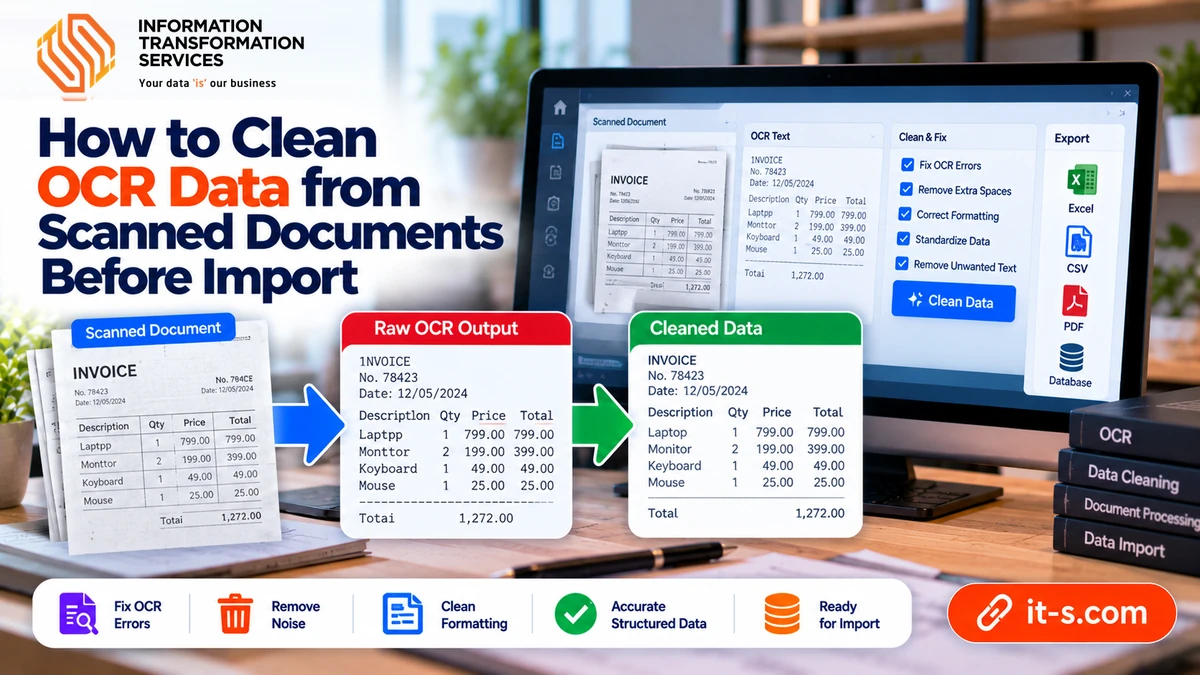
How to Clean OCR Data From Scanned Documents Before Import
Optical character recognition can turn scanned documents into editable text, but raw OCR output is rarely ready for direct use. Even high-quality scans can produce character substitutions, missing punctuation, broken tables, merged columns, incorrect dates, and words split across lines. Low-resolution images, skewed pages, handwriting, stamps, faded print, and complex layouts make the problem worse.
Cleaning OCR data therefore requires both text correction and structural validation. The goal is not simply to make the text look readable. It is to produce data that accurately reflects the source document and can be searched, analyzed, imported into a database, or used in a business workflow without introducing silent errors.
Start With the Best Possible Scan
OCR accuracy depends heavily on the source image. Before extracting text, make sure the page is straight, sharp, evenly lit, and large enough for the characters to be distinguishable. A clean scan reduces the amount of correction required later.
If the source contains dark borders, shadows, or background noise, preprocess the image before recognition. Cropping, deskewing, contrast adjustment, and noise removal can improve character separation without changing the document content. A reliable scanning and OCR cleanup workflow treats image preparation as part of the extraction process rather than an optional cosmetic step.
Keep the Original Image Beside the OCR Text
Never clean OCR output without access to the source page. The recognized text is only a machine interpretation of the image. When a word, number, or symbol looks suspicious, the original document is the authority.
For high-volume work, store the page number or source-image identifier with each extracted block. This makes review faster because an editor can jump directly to the corresponding scan instead of searching through the entire document.
Correct Common Character Substitutions
OCR systems often confuse visually similar characters. Common examples include zero and capital O, one and lowercase l, five and S, eight and B, or punctuation marks that resemble letters. These errors are especially dangerous in account numbers, invoice codes, product IDs, dates, and quantities.
Build a list of recurring substitutions found in the document type, but do not replace them blindly. A rule that changes every O to zero would damage normal text. Use context such as expected field format, surrounding characters, and column type to decide when a correction is valid.
Normalize Whitespace and Line Breaks
Scanned documents often produce irregular spacing because the OCR engine tries to preserve visual layout. Words may contain extra spaces, paragraphs may break in the middle of a sentence, and a line ending may appear where the original text simply wrapped on the page.
Normalize repeated spaces and line endings according to the intended output. For prose, reconstruct complete paragraphs. For forms or tabular data, preserve meaningful row and column boundaries. The right cleanup depends on whether the result will become readable text, structured records, or both.
Repair Hyphenated Words Carefully
Printed documents frequently split a word at the end of a line with a hyphen. OCR may preserve that hyphen and line break even though the digital text should contain one complete word. Removing all hyphens is not safe because many words and identifiers legitimately contain them.
Use the page layout and dictionary context to distinguish line-break hyphenation from real punctuation. When a line ends with a hyphen and the next line begins with the continuation of the same word, join them. Keep genuine compound words and coded values unchanged.
Validate Numbers Against Expected Formats
Numeric OCR errors can be more damaging than spelling errors because they may look plausible. A total of 1,850 can become 1,350, a date can lose a digit, or a decimal point can disappear. Financial, inventory, and research data should therefore be checked against expected patterns.
Define rules for dates, currencies, percentages, invoice numbers, phone numbers, and other structured fields. If a value falls outside the allowed format or range, flag it for review instead of guessing. This approach is closely related to the validation practices used to clean CSV data before database import.
Reconstruct Tables Instead of Treating Them as Plain Text
Tables are one of the hardest OCR structures because columns may drift, rows may merge, and empty cells may disappear. A text dump that looks readable can still place values under the wrong header.
Rebuild the table using explicit rows and columns. Compare totals and repeated patterns to the source. If the table contains quantities, prices, or percentages, calculate simple checks such as row totals or column sums when the document provides enough information to verify them.
Use Field-Level Rules for Forms
Forms are easier to validate when each field has a known meaning. A postal code, email address, date of birth, policy number, and amount due all follow different rules. Instead of reviewing the entire page as generic text, extract and validate each field according to its expected structure.
This reduces false corrections. A short code that looks like a misspelled word may actually be valid, while a sentence inside an address field may indicate that the layout was interpreted incorrectly.
Handle Headers and Footers Separately
Repeated page headers, footers, page numbers, confidentiality notices, and document titles can pollute the final dataset when they are captured on every page. Detect recurring patterns and remove them from the main body only when they are clearly structural rather than substantive.
Keep page numbers or section markers separately if they are useful for traceability. The aim is to remove repetition without losing the ability to locate text in the source document later.
Do Not Silently Guess Unreadable Text
Some source characters are genuinely unreadable. A stain, fold, faded print, or damaged scan may make confident recovery impossible. In those cases, use a review flag or explicit placeholder rather than inventing a value that merely looks likely.
This is particularly important for legal, financial, medical, and compliance documents where an incorrect guess can be more harmful than a clearly marked uncertainty. Human review should focus first on fields with the highest business impact.
Use Dictionaries and Reference Lists Carefully
Domain dictionaries can help identify likely OCR mistakes in product names, technical terminology, addresses, or customer records. A reference list of known suppliers, SKUs, cities, or account prefixes can also improve validation.
However, a dictionary should suggest corrections rather than overwrite unusual values automatically. New names and codes may be valid even if they are not in the reference list. Preserve the source when confidence is low.
Standardize Dates and Numbers After Accuracy Is Confirmed
Once OCR values have been verified, convert them into consistent machine-readable formats. Dates can be standardized to one format, currencies can be separated into numeric value and currency code, and percentages can be stored as numbers instead of mixed text.
Perform normalization only after resolving recognition errors. Converting a wrongly recognized value into a clean standardized format can make the error harder to notice later.
Deduplicate Repeated Records Created by Page Layout
Some scans repeat summary information on every page, and OCR pipelines may treat each appearance as a new record. Use stable identifiers or field combinations to detect whether a row or form was duplicated during extraction.
The same principles used in duplicate-record cleanup can be adapted to OCR data by comparing identifiers, normalized text, and source-page context before removing repeated entries.
Create a Confidence-Based Review Queue
Not every OCR output needs the same amount of human attention. If the recognition engine provides confidence scores, combine them with business rules to prioritize uncertain text, invalid formats, unusual symbols, and important fields.
High-confidence plain text can pass through lighter review, while low-confidence totals, dates, identifiers, and names receive manual verification. This makes human effort more efficient without treating automation as infallible.
Keep an Audit Trail of Corrections
For important datasets, store the original OCR value, corrected value, source page, and reason for correction. This creates traceability and helps identify recurring recognition problems.
If the same substitution appears repeatedly, the preprocessing or recognition settings may need improvement. A correction log therefore supports both quality assurance and future process optimization.
Validate the Final Dataset Before Import
Before sending cleaned OCR data into a database, spreadsheet, CRM, or accounting system, run final checks for missing required fields, duplicate records, invalid dates, unexpected characters, and inconsistent numeric formats.
For recurring document-processing work, these checks can become part of a broader data entry workflow so scanned information is validated before it reaches operational systems.
Conclusion
OCR turns scanned pages into editable data, but recognition is only the first stage. Reliable output requires source-image review, character correction, whitespace cleanup, table reconstruction, field-level validation, duplicate control, and careful normalization.
The most effective process combines automation with targeted human review. By flagging uncertain values instead of guessing, preserving traceability to the original scan, and validating structured fields before import, OCR data can become accurate enough for real operational use rather than remaining a rough transcription of the page.