


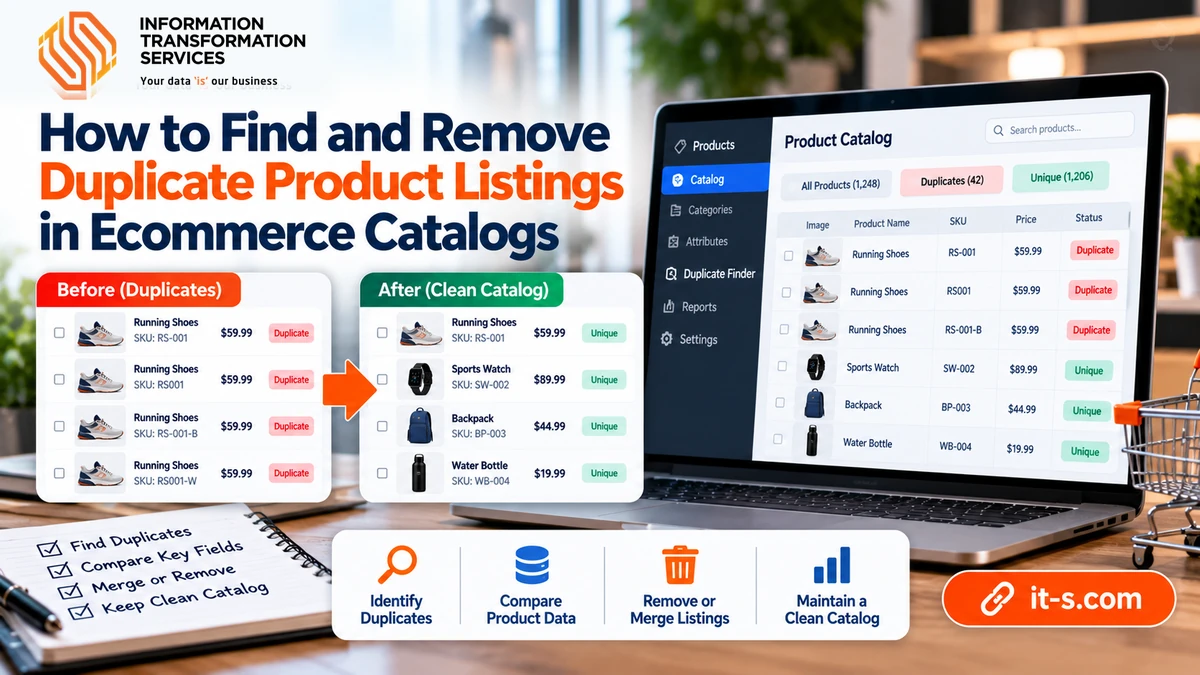
How to Find and Remove Duplicate Product Listings in Ecommerce Catalogs
Duplicate product listings can quietly damage an ecommerce catalog even when the storefront looks normal. The same product may appear twice under slightly different titles, SKUs may be copied incorrectly, supplier feeds can create near-duplicates, and legacy records may remain active after newer versions are added. These duplicates confuse reporting, split reviews and inventory, complicate search filters, and make product maintenance much harder than it needs to be.
The challenge is that duplicate products are not always exact copies. One record may use a different brand spelling, another may include a color or pack size in the title, and two entries may share the same manufacturer part number but different internal IDs. A reliable cleanup process therefore needs more than a simple “remove duplicate rows” command. It needs a structured method for identifying which records represent the same real-world product and deciding which version should remain.
Define What Counts as a Duplicate Product
Before cleaning anything, define the business rule. Exact duplicates are straightforward because every important field matches. Near-duplicates are more complicated. Two records may represent the same product even if their titles differ, one contains an abbreviated brand name, or one omits an optional attribute.
Start by identifying the strongest product identifiers available in the catalog. These may include SKU, UPC, EAN, GTIN, manufacturer part number, supplier code, or a combination of brand and model. The stronger and more stable the identifier, the less you need to depend on product-title similarity alone.
Create a Clean Comparison Dataset
Duplicate detection becomes unreliable if the source data is inconsistent. Before comparing products, normalize the fields used for matching. Trim leading and trailing spaces, standardize capitalization where appropriate, remove non-printing characters, and make sure identifier columns use the correct data type.
A SKU such as 001245 should remain text if the leading zeros are meaningful. A manufacturer number should not be reformatted as a number if it contains letters or hyphens. This preparation is closely related to the workflow described in cleaning Excel data with Power Query, where normalization creates a consistent base before records are compared.
Match Exact Identifiers First
Begin with the highest-confidence rules. If two active records have the same verified GTIN or manufacturer part number, they are strong duplicate candidates. Exact identifier matching is faster and safer than fuzzy text matching because it relies on fields designed to distinguish products.
Do not automatically delete one record as soon as a match is found. Compare the rest of the data first. One listing may contain a newer image, complete attributes, better category placement, or the correct inventory connection. The duplicate rule identifies the pair; it does not decide which record deserves to survive.
Use Composite Keys When One Identifier Is Not Enough
Many catalogs do not have a perfect universal identifier. In that case, build a composite key from several stable fields. Brand plus manufacturer part number is a common choice. For products with variants, the key may also need size, color, pack quantity, or model year.
Composite keys should represent the actual product definition. If color creates a separate sellable variant, excluding it from the key may incorrectly merge legitimate listings. If color is only a descriptive field and the product should exist as one record, including it may prevent a real duplicate from being detected.
Standardize Brand and Manufacturer Names
Brand variation is a common reason duplicate products escape exact matching. A catalog may contain HP, Hewlett Packard, Hewlett-Packard, and HP Inc. as separate values even though they refer to the same brand family. Supplier feeds can create similar problems with punctuation, abbreviations, and legal company suffixes.
Create a controlled mapping table that converts accepted variations into one standard value. This is more maintainable than repeatedly editing records by hand. A mapping table can also be reused during future imports so new duplicates are less likely to appear.
Normalize Product Titles Before Comparing Them
Product titles are useful for duplicate detection, but only after unnecessary variation is reduced. Convert spacing and punctuation to a consistent form, standardize obvious abbreviations, and remove repeated boilerplate that does not help distinguish the product.
Do not over-clean the title. Words such as size, capacity, model number, material, or pack quantity may be essential for distinguishing valid variants. The goal is to remove noise while preserving the information that defines the sellable item.
Use Fuzzy Matching for Uncertain Cases
After exact and composite matching, a smaller group of uncertain records may remain. Fuzzy matching can compare titles or descriptions and assign a similarity score. This is useful when supplier records vary slightly in wording but still describe the same item.
Fuzzy matching should create review candidates rather than automatically merge records. Two products can have nearly identical names while differing in a critical attribute. For example, “500 GB” and “1 TB” models may share most of the same words but are not duplicates.
Check Variant Relationships Before Merging
Parent and child products need special care. A shirt available in four sizes should not be treated as four duplicate products if each size is a valid variant. Likewise, a multipack and a single unit may share the same base title but represent different sellable items.
Review variant-defining attributes before consolidation. If the ecommerce platform supports parent-child relationships, use them consistently. A duplicate-cleanup process should simplify the catalog without collapsing legitimate variants into one record.
Choose a Master Record for Each Duplicate Group
Once a duplicate group is confirmed, select the master record. A useful master usually has the correct active SKU, complete attributes, valid category assignment, current pricing, accurate inventory connection, strong product images, and the cleanest title and description.
The oldest record is not always the best master, and neither is the newest. Choose the listing that is most complete and most tightly connected to the systems that depend on it. This is the point where product data cleansing becomes more than deduplication because quality and consistency matter across the full product record.
Merge Useful Data Before Retiring Duplicates
A duplicate record may contain information that the master lacks. Before retiring it, compare images, attributes, descriptions, supplier references, SEO fields, compatibility data, dimensions, and category metadata. Copy valid missing information into the master when appropriate.
Avoid blindly combining conflicting values. If one record lists a weight of 1.2 kg and another lists 2.1 kg, the difference needs verification. Consolidation should improve the master record rather than mixing uncertain data into it.
Protect Inventory and Order History
Deleting a duplicate product can affect more than the catalog page. The record may be linked to inventory, orders, returns, supplier feeds, marketplace listings, or analytics history. Before removal, check which downstream systems reference the product ID or SKU.
In many environments, it is safer to deactivate or redirect the duplicate while preserving historical relationships. The visible catalog can be cleaned without destroying records needed for reporting or past transactions.
Review Images During Duplicate Cleanup
Images can help confirm whether two uncertain listings are the same product. Matching product photography, packaging, labels, or model numbers can provide supporting evidence when titles are inconsistent. At the same time, a duplicate group may contain image sets of very different quality.
Keep the strongest approved images on the master record and remove true duplicates. If the catalog also needs visual normalization, apply the same standards used for consistent ecommerce imagery rather than keeping every supplier image merely because it exists.
Build a Duplicate Review Queue Instead of Deleting Automatically
High-confidence exact matches can sometimes be processed automatically, but uncertain matches should enter a review queue. Each candidate should show the fields that triggered the match, the similarity score where applicable, and the key differences between the records.
This makes human review faster because the reviewer does not need to compare every field from scratch. The queue can prioritize high-risk duplicates such as records sharing the same GTIN but carrying different prices or stock status.
Prevent Duplicates During Future Imports
The best cleanup process also reduces future duplicate creation. Validate incoming feeds against existing identifiers before inserting new products. If a matching GTIN, manufacturer number, or approved composite key already exists, route the record to update logic instead of automatically creating a new listing.
For large catalogs, this prevention step should be part of the standard catalog data entry workflow. Duplicate detection is far less expensive before records spread into search indexes, inventory systems, marketplaces, and reporting tools.
Measure the Catalog After Deduplication
After cleanup, compare total active product count, duplicate-candidate count, products missing strong identifiers, and the percentage of records with standardized brands and categories. These metrics show whether the catalog actually became cleaner rather than simply smaller.
Continue monitoring new imports. If duplicate rates begin rising again, the issue may be coming from a supplier feed, import rule, or inconsistent identifier policy. A recurring check makes it easier to correct the source before another large cleanup is needed.
Conclusion
Removing duplicate product listings is a data-quality problem, not just a spreadsheet task. Exact identifiers, composite keys, normalized brands, cleaned titles, fuzzy matching, and variant checks all contribute to a reliable decision about whether two records represent the same real-world item.
The safest process identifies duplicate groups, selects one strong master, merges useful information, protects inventory and order relationships, and prevents the same problem during future imports. When deduplication is handled systematically, the catalog becomes easier to search, maintain, analyze, and synchronize across every channel that depends on its product data.