


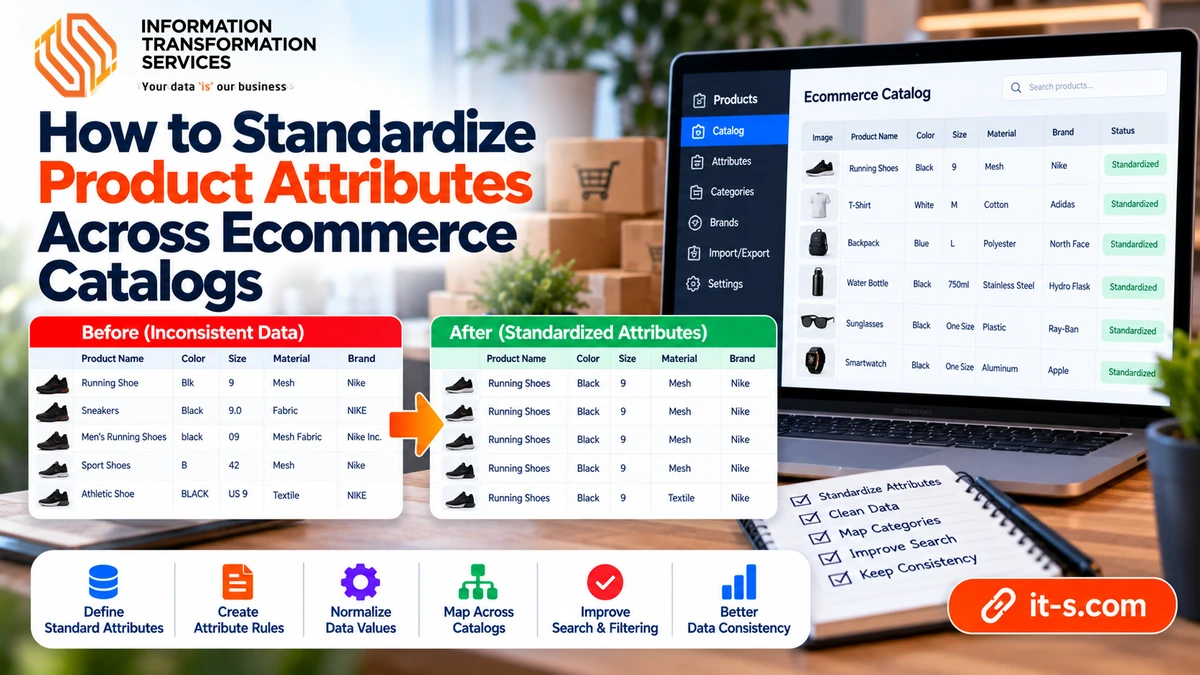
How to Standardize Product Attributes Across Ecommerce Catalogs
Product attributes are the structured facts that make an ecommerce catalog searchable, filterable, comparable, and useful. They include fields such as brand, color, material, size, capacity, dimensions, compatibility, model number, pack quantity, and technical specifications. When those fields are inconsistent, the catalog may still display products, but filtering becomes unreliable, search results fragment, and the same characteristic can appear under several different labels.
Standardizing attributes is therefore more than cosmetic cleanup. It creates a common language for products coming from different suppliers, marketplaces, spreadsheets, and internal systems. The goal is to make equivalent information follow the same field names, value formats, units, and allowed vocabularies without erasing meaningful differences between products.
Start With an Attribute Dictionary
Before editing records, define the approved attribute set for each product category. A laptop may need processor, memory, storage, screen size, operating system, and color, while a chair may need material, width, height, seat depth, finish, and weight capacity. Mixing every possible field into every category produces clutter and missing values that do not actually represent errors.
Create an attribute dictionary that lists the canonical field name, expected data type, unit, allowed values, whether the field is required, and any category-specific rules. This becomes the reference used by data-entry teams, supplier imports, and quality checks. It also supports broader product data enrichment because new information can be added in a controlled structure rather than as free text.
Normalize Attribute Names Before Values
Supplier feeds often use different names for the same concept. Color may appear as Colour, Product Color, Finish Color, or Shade. Manufacturer Part Number may appear as MPN, Part No., Model Code, or Manufacturer SKU. If those headings are not standardized first, later value cleanup will be split across several duplicate fields.
Map every accepted source label to one canonical field. Keep the mapping table separate from the product data so it can be reused when new files arrive. Do not simply rename columns manually each time, because that creates a process that depends on memory instead of rules.
Choose a Consistent Data Type
Every attribute should have a predictable type. A capacity field may be numeric with a unit, a color field may be controlled text, and a Boolean attribute may accept only yes or no. Problems begin when the same field sometimes contains numbers, sometimes sentences, and sometimes symbols.
Identifiers such as SKUs, UPCs, and model numbers should usually remain text even when they contain only digits. Leading zeros and embedded characters can be meaningful. Dimensions and weights, by contrast, should be stored in a format that can be compared or converted rather than trapped inside descriptive sentences.
Standardize Units of Measurement
Mixed units make filters and comparisons unreliable. A catalog may contain length values in inches, centimeters, and millimeters or weight in grams, kilograms, pounds, and ounces. Decide which unit should be stored for each field and convert incoming values consistently.
Keep the numeric value separate from the unit where the platform allows it. A field containing “12 inches” is harder to sort than a numeric value of 12 with an associated unit. If the storefront needs localized display units, convert at presentation time while keeping the underlying source standardized.
Use Controlled Vocabularies for Repeated Values
Attributes such as color, material, finish, pattern, gender, condition, and compatibility often accumulate variations that mean the same thing. A single catalog can contain Black, black, Jet Black, BLK, and Black Color even when the business wants one filter called Black.
Create an approved vocabulary and map common variations to it. Keep the original source value if it is useful for auditing, but expose the standardized value to search, filters, and downstream systems. Controlled values are especially valuable for category navigation because every variation otherwise becomes a separate facet.
Separate Descriptive Text From Structured Attributes
A product description can say that a jacket is made from a lightweight waterproof polyester blend, but the structured Material field should not contain that entire sentence. Attribute fields work best when they store one precise fact rather than marketing language.
Keep rich explanations in the description and move filterable facts into dedicated fields. This makes the data easier to validate and prevents one supplier’s writing style from determining how the catalog structure behaves.
Handle Multi-Value Attributes Consistently
Some products legitimately have more than one value for the same attribute. A shirt may be made from cotton and polyester, a device may support Wi-Fi and Bluetooth, and a tool may be compatible with several model families. Decide how multi-value fields will be represented before importing them.
Use a consistent delimiter or, preferably, a true multi-value field if the platform supports it. Avoid mixing comma-separated values, slashes, semicolons, and free text in the same column. The format should be easy for both machines and editors to interpret.
Protect Product Variants From Overstandardization
Standardization should not erase differences that define a sellable variant. Size, color, capacity, voltage, pack quantity, and model year may determine whether two records represent separate products. If those values are collapsed too aggressively, legitimate variants can be merged accidentally.
This is closely related to duplicate control. The guide on removing duplicate product listings explains why variant-defining attributes must be reviewed before two records are consolidated.
Build Mapping Tables for Supplier-Specific Values
Suppliers often use their own terminology. One feed may call a finish Brushed Steel, another Stainless Look, and a third Silver Metallic. A mapping table lets you preserve those source values while translating them into the catalog’s approved vocabulary.
Keep mappings versioned and review them when new supplier values appear. Unknown values should enter an exception queue rather than being forced into the nearest category automatically. This prevents silent misclassification from spreading through the catalog.
Define Rules for Missing Values
A blank attribute does not always mean bad data. A laptop may not have a screen type because the record is incomplete, while a cable may genuinely have no battery capacity because the field does not apply. Distinguish missing, unknown, not applicable, and intentionally blank values.
Required fields should be defined by category so the system can flag true gaps. Optional attributes can remain empty without being treated as errors. This makes quality reports more meaningful because they focus on information customers actually need.
Validate Attribute Relationships
Some attributes should be checked together. A television listed as 65 inches should not have dimensions that resemble a 24-inch model. A device marked as wireless should not simultaneously require a wired-only connectivity value. Relationship rules catch inconsistencies that simple field-by-field validation misses.
Start with the combinations most likely to cause customer confusion or operational problems. Business rules can be added gradually as recurring errors are discovered.
Standardize Before Publishing New SKUs
The cheapest time to fix attributes is before the product becomes active. Incoming supplier data should pass through the attribute dictionary, mapping tables, unit conversions, and required-field checks before publication.
For high-volume catalogs, connect these rules to the SKU data entry workflow so new records are created in the approved structure from the beginning. Preventing inconsistency is easier than repairing thousands of live products later.
Audit Existing Categories in Manageable Batches
A large legacy catalog should not be standardized all at once without a plan. Work category by category, beginning with the areas that generate the most traffic, sales, filter usage, or customer support issues. This limits risk and makes rule changes easier to review.
For each batch, measure how many field names were merged, how many values were mapped, how many required attributes were missing, and how many products entered an exception queue. Those metrics show whether the catalog is becoming more consistent over time.
Keep the Rules Maintainable
Attribute standards are not permanent. New products introduce new specifications, suppliers change feeds, and ecommerce platforms add new merchandising features. Store the rules in a documented system that can be updated without rebuilding the entire catalog.
Review the dictionary periodically with merchandising, operations, and technical teams. A field that is useful for filtering may be different from one needed for logistics or product comparison, so the structure should support the real uses of the data.
Conclusion
Standardizing product attributes turns a collection of supplier records into a coherent ecommerce catalog. The process begins with a category-specific attribute dictionary and continues through consistent field names, data types, units, vocabularies, multi-value rules, and validation.
The most reliable systems preserve meaningful product differences while eliminating accidental variation. When attributes follow predictable rules, filters work better, duplicate detection becomes easier, product comparisons become more accurate, and future imports can be checked automatically before inconsistent data reaches customers.